
Timing
Automatic time tracker for Mac that logs apps, websites and documents in the background, so billable hours can be assigned after the fact.
At a glance
Checked
- Pricing
- Professional: $9 a month, billed annually, or $11 monthly, for one person on 1 computer with basic reports
- Expert: $11 a month, billed annually, or $14 monthly, for one person on 2 computers, adding billing status, report rounding, AI summaries and meeting detection
- Connect: $16 per user a month, billed annually, or $20 monthly, on 3 computers per user, adding team features, two-way ClickUp and Linear sync and MCP access
- Free trial: 30 days, no credit card needed
- Licence
- Proprietary, not open source
- Made by
- Timing Software GmbH
- Platforms
- On Mac, with a Windows 11 beta and a web app for timers on other devices
- Website
- timingapp.com
What it’s good for
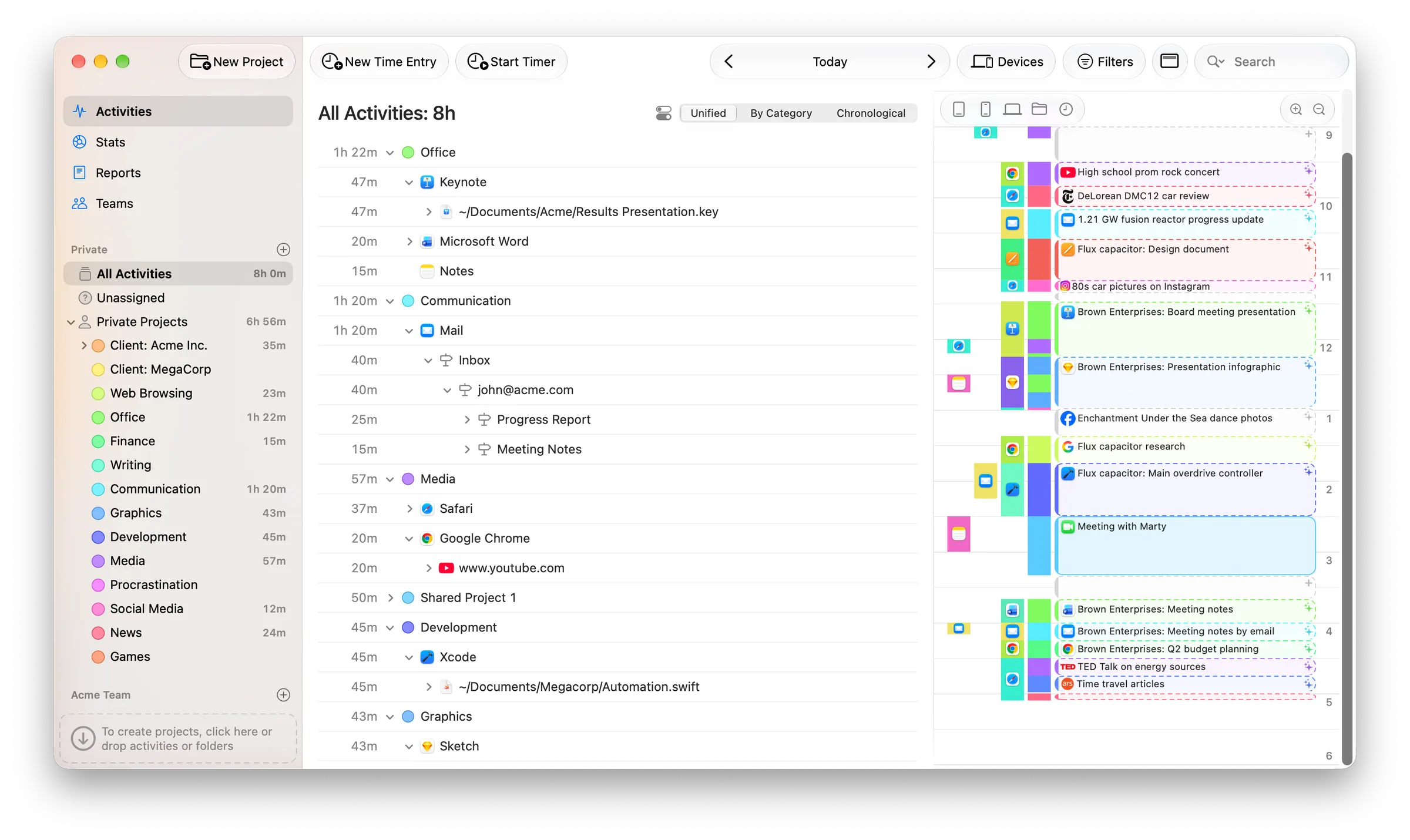
Timing records which apps, documents and websites you use on your Mac, down to file paths and URLs, so you sort time into projects afterwards instead of remembering to start a timer. Dragging an activity onto a project can create a rule that files similar work automatically, and it can prompt you to log time after a video call. Tracked data stays on the Mac unless you turn on sync, and private browser tabs are discarded.
All three plans are subscriptions after a 30-day trial. Professional covers one Mac with basic reports; Expert adds billing status, rounding reports to your billing increment and AI summaries; Connect adds team projects, two-way ClickUp and Linear sync and access for AI agents through MCP.
Alternatives to Timing
All Freelance tools


Questions
- Does Timing work on Windows?
- A Windows version is in beta, for Windows 11 version 24H2 or later on 64-bit Intel and AMD PCs. The main app is a native Mac app, and a web app lets you start and stop timers from a phone.
- Is there a free version of Timing?
- No. Timing has a 30-day free trial with no credit card, then a subscription from $9 a month billed annually, or $11 paid month to month.