
Shottr
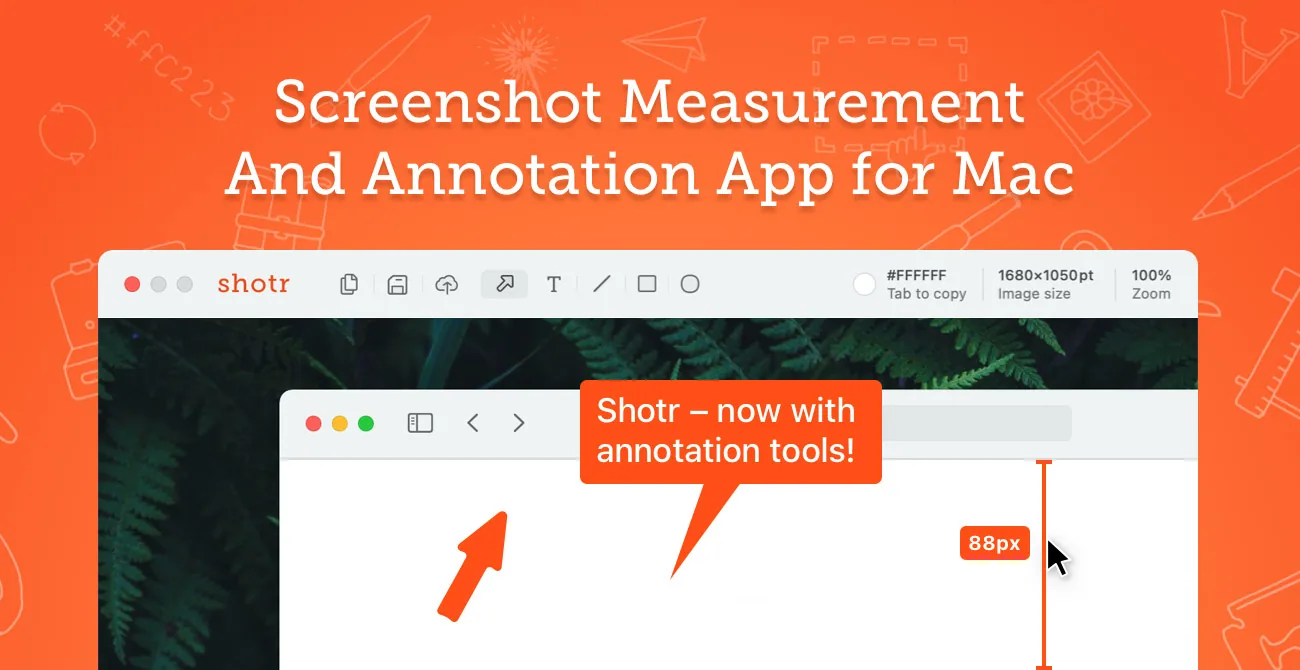
Small, fast screenshot tool for Mac with pixel measuring, colour picking, OCR, scrolling capture and annotation built in.
At a glance
Checked
- Pricing
- Free: $0, most features with no time limit; after 30 days the app asks you to consider buying
- Basic: $12 once, unlocks every feature and is required for commercial use
- Friends Club: $30 once, adding experimental features and better support
- Every licence covers one user on up to five Macs
- Licence
- Proprietary, not open source
- Made by
- Electric Endeavors LLC
- Platforms
- Mac only, optimised for Apple silicon, with version 1.9.1 kept for older macOS
- Website
- shottr.cc
What it’s good for
Shottr is a small Mac screenshot app made for people who care about pixels. Beyond area and scrolling captures, it measures distances on screen like a ruler, picks colours, reads text and QR codes, pixelates sensitive parts, pins a capture above other windows and lets you mark it up before copying or uploading to S3.
Most of it works for free with no time limit; after 30 days the app starts asking you to buy. The Basic licence is a one-time $12, needed for commercial use, and unlocks uploads and hiding the menu bar icon. Friends Club costs $30 once and adds experimental features and better support. One licence covers a single user on up to five Macs.
Alternatives to Shottr
All Productivity tools


Questions
- Is Shottr free?
- Yes, you can keep using it free for as long as you like, with a reminder to buy after 30 days. Commercial use needs a licence, which costs $12 once.
- Is Shottr a subscription?
- No. Both the $12 Basic licence and the $30 Friends Club licence are single payments, and each covers one user on up to five Macs.